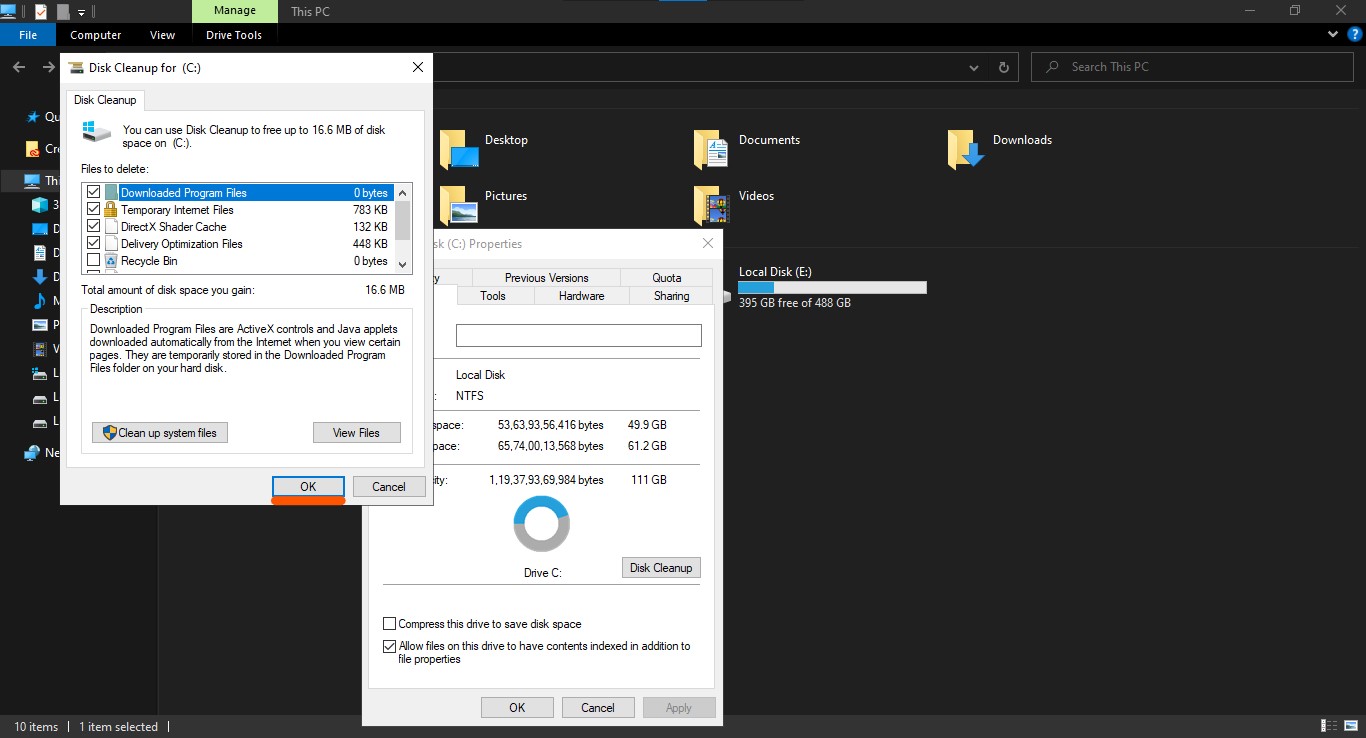
Disk Cleanup
The Disk Cleanup tool helps you to delete temporary internet files, direct X shader files(Windows 10 has included a component called D3DSCache, which is a DirectX Shader Cache), delivery optimization files, temporary files, thumbnails(By deleting these files you can increase your computer performance) of your selected hard drive partition.
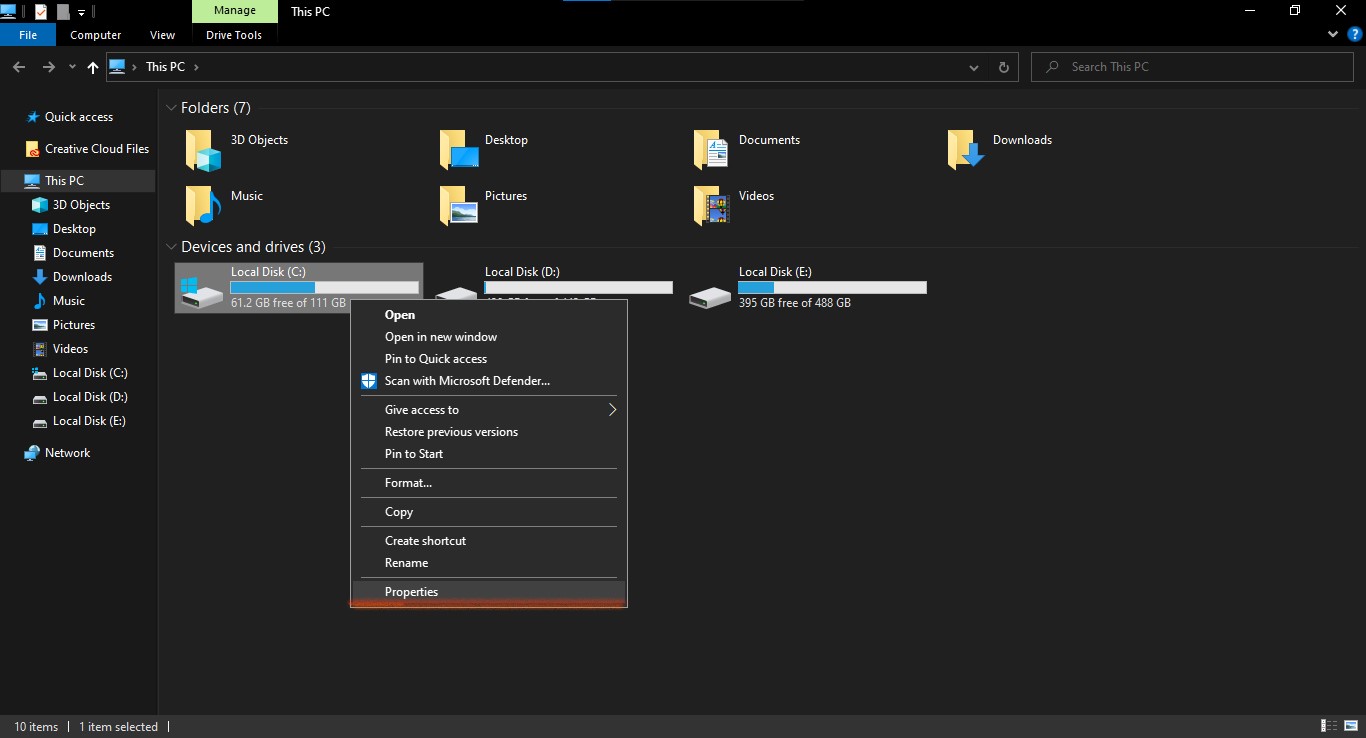
To use the Disk Cleanup tool open your file explorer.
Right-click on your hard-drive partition from which you want to delete the temporary files and click on 'Properties' .
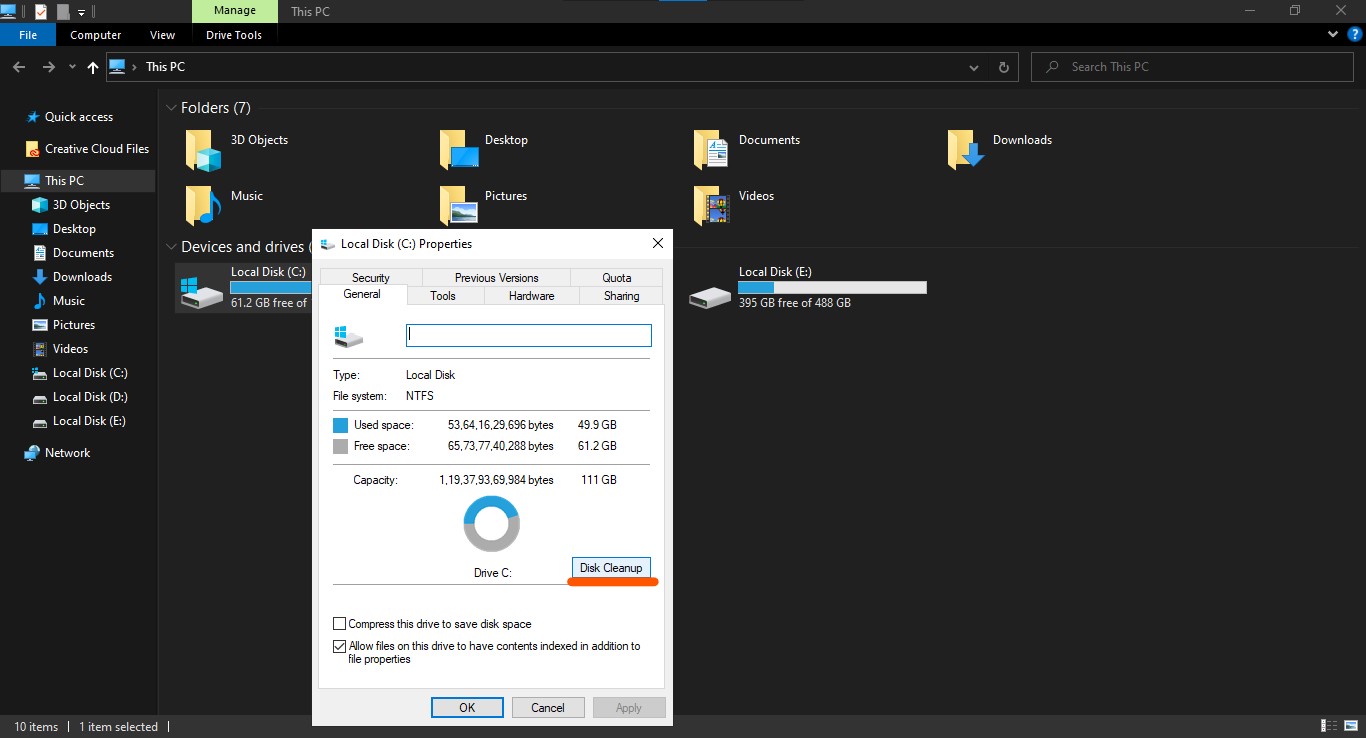
Click on the 'Disk Cleanup' button.
Select 'Temporary internet files', 'Direct X shader files', 'Dilivery Optimization files', 'Temporary Files', 'Thumbnails' and click OK.