
Video editor
Windows 10 provide a basis video editor in their new update which you can use to edit videos and clips. Although the video editor app in Windows 10 does not provide many settings like in "Filmora 9", but you can use the video editor app for some simple modification of your clips like snipping, text on video, watermark, etc. To use the video editor app, search for a video editor in the search box.
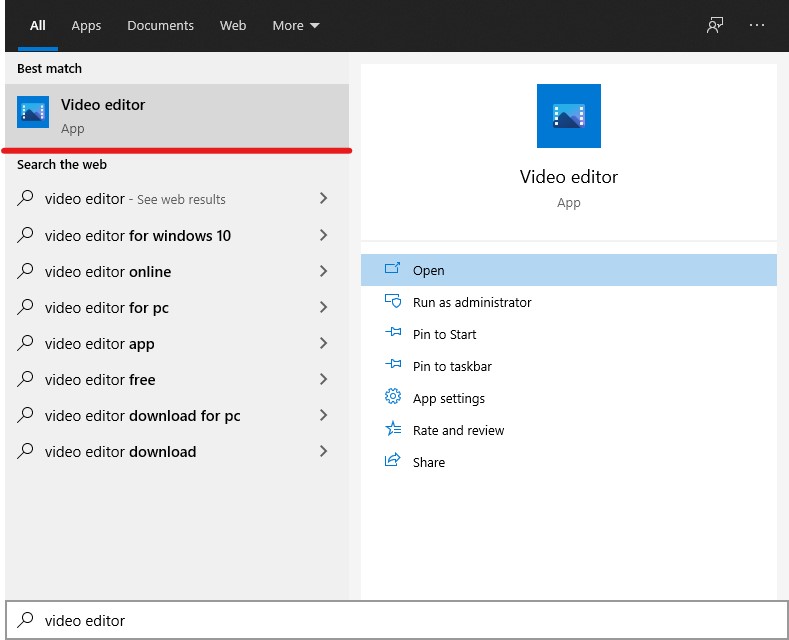
Open the "Video Editor" app.
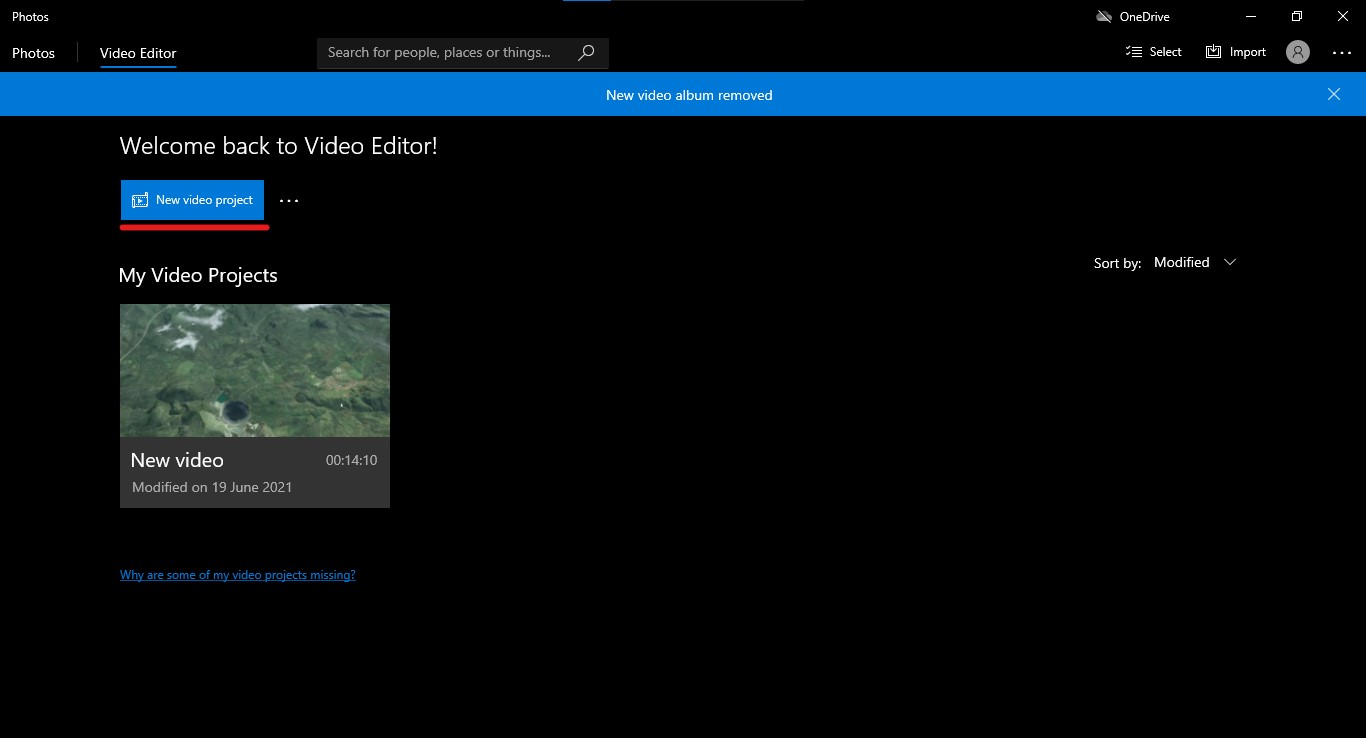
Click on "New Video Project".
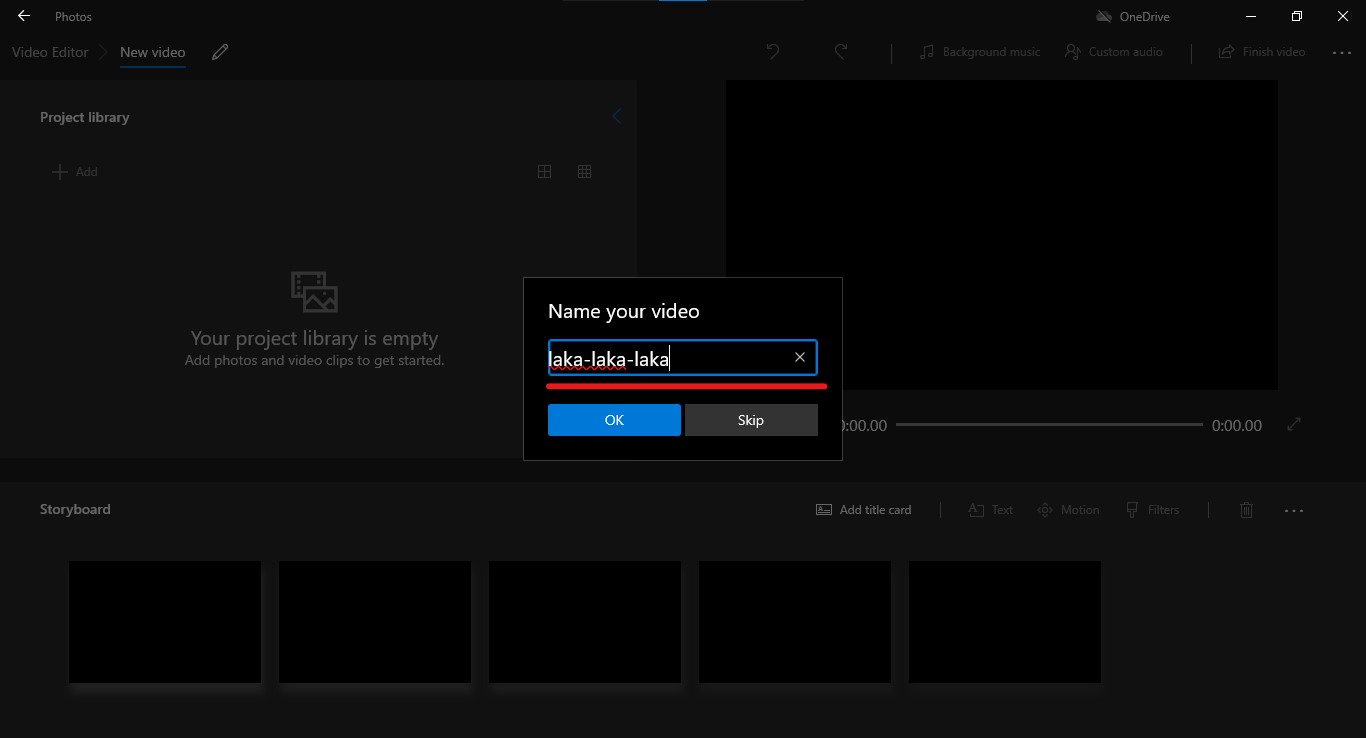
Name your video.
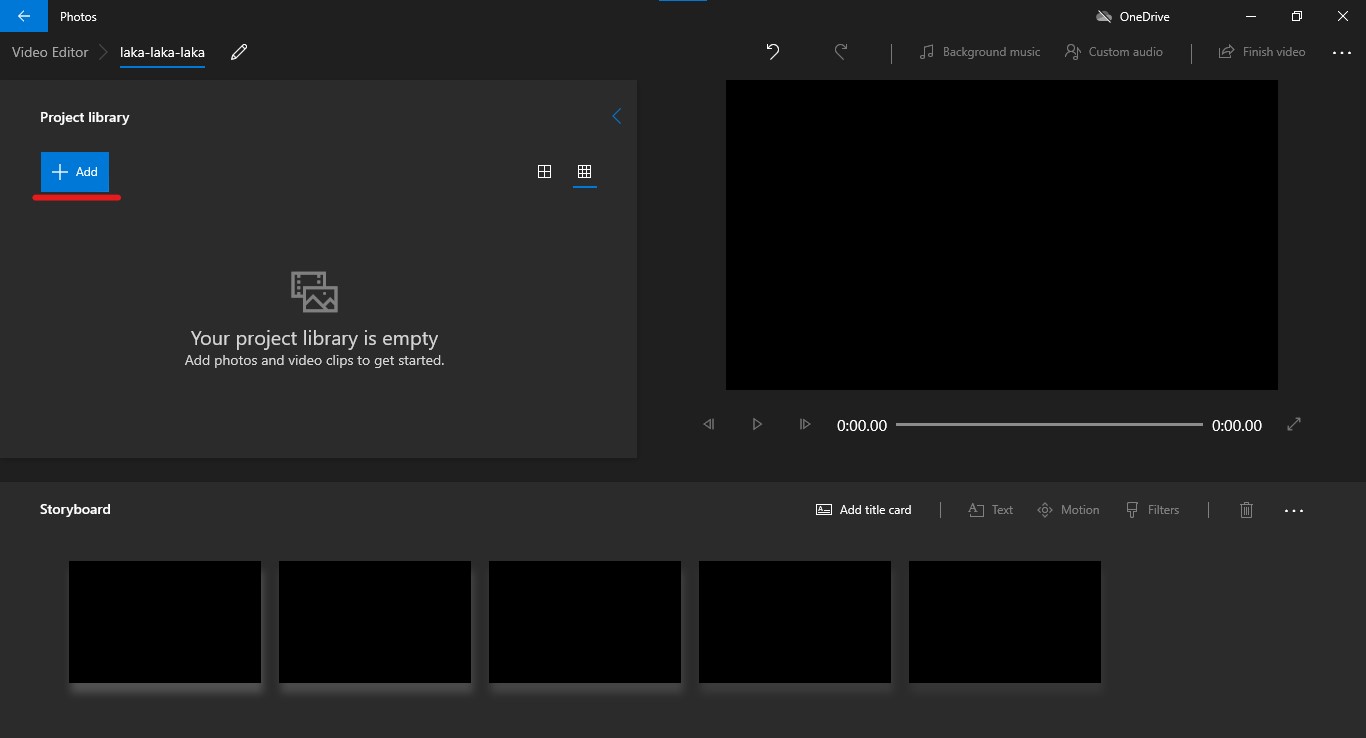
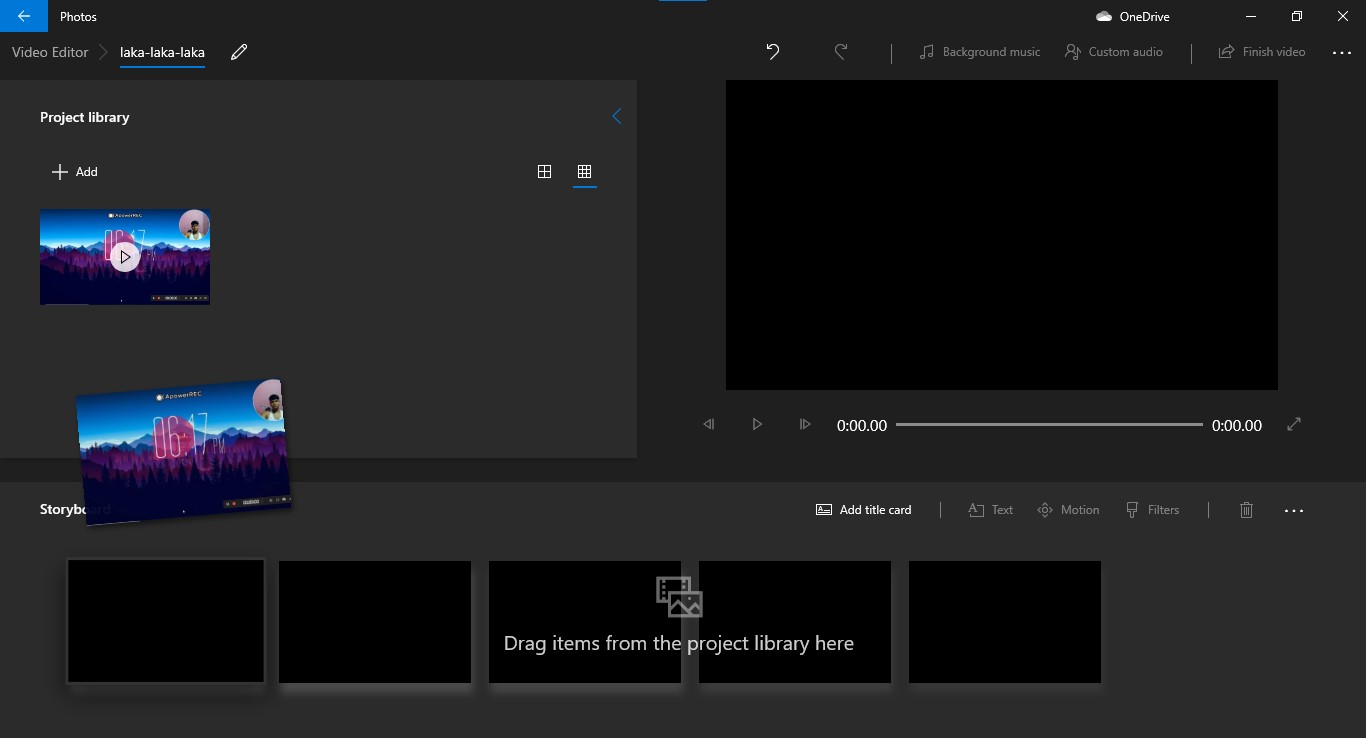
Click on "ADD" to add a new clip and drag the clip to your storyboard to edit the clip.
Trick 2
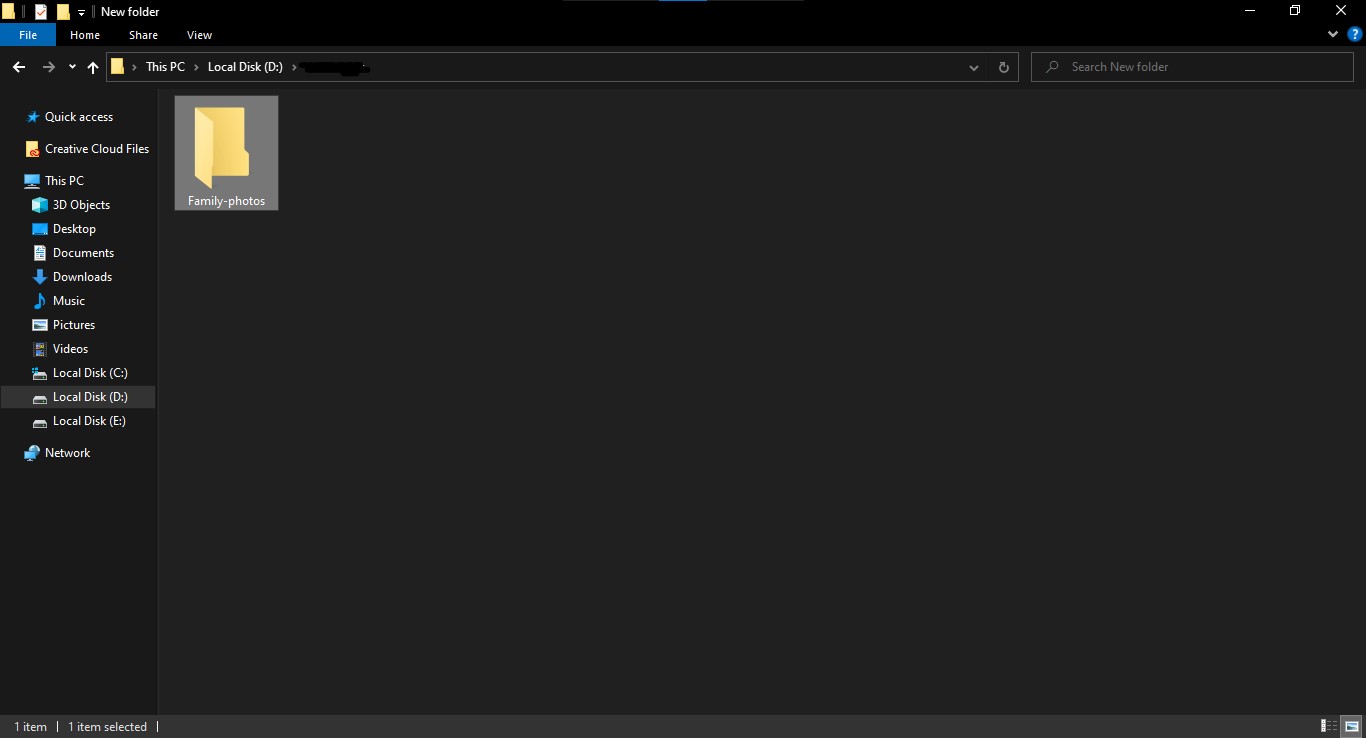
This trick is very useful for students and for those who don't want to show their photos, videos, and other information when someone else is sneaking into their computer. Suppose I have this folder on my D drive(Fig: 2.15) which I don't want anyone to sneak into this folder.
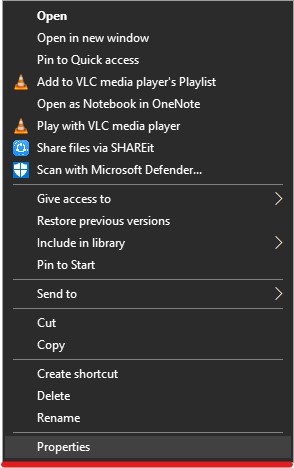
So, just right-click on the folder, click on properties.
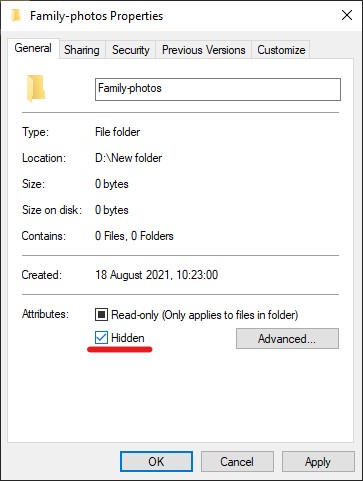
Now, in the attribute section check the "Hidden" option and click on Apply.
Now your folder will be hidden, the folder will be there but no one could see it. To make the folder visible again click on the "View" tab and check the "Hidden items" option Fig: 2.16.

Fig: 2.16