Night Light
Blue light from electronics is linked to problems like blurry vision, eyestrain, dry eye, macular degeneration, and cataracts. It is strongly recommended to use a blue light filter while working on a computer or phone screen. I never turn off the blue light filter on my computer and phone but you can turn on your blue light filter after 6:00 P.M. Luckily, Windows 10 has a Night Light feature.
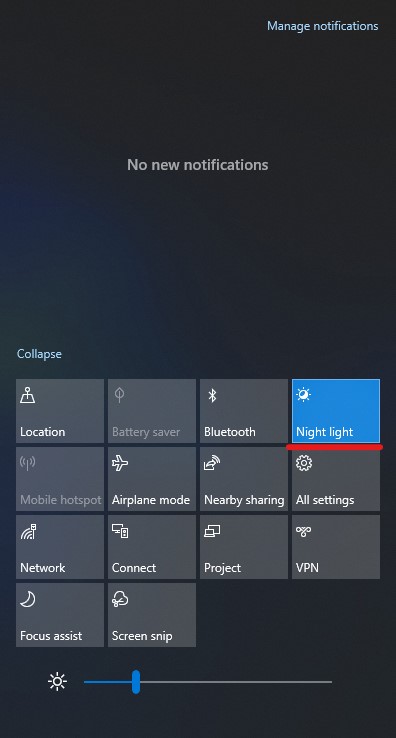
Click on "Notification Center" located on the right corner of the taskbar.

Now, click on the "Night Light" option to enable night light.
How to schedule night light?
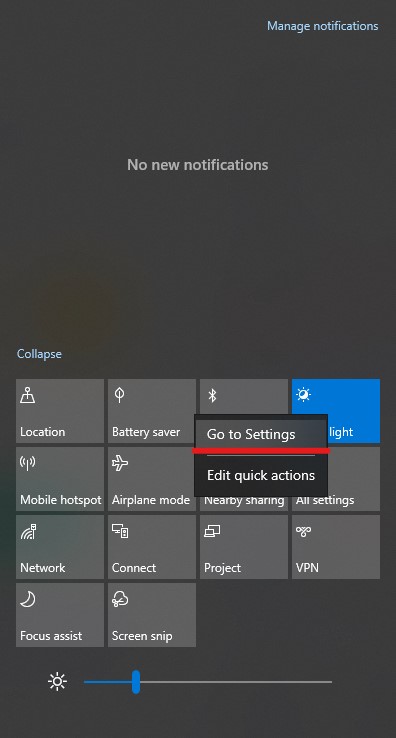
To schedule Night Light, right-click on the Night Light option and click on "Go to Settings".
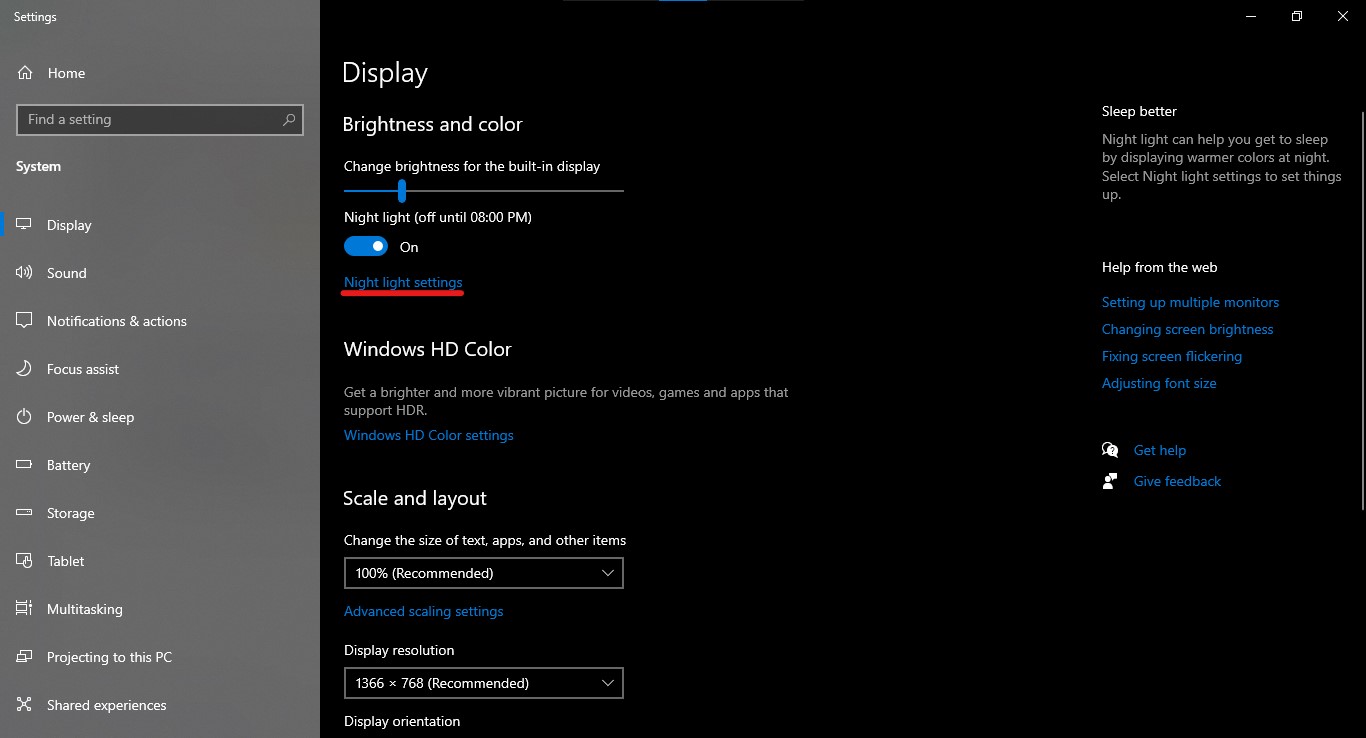
Now, click on "Night Light Settings".
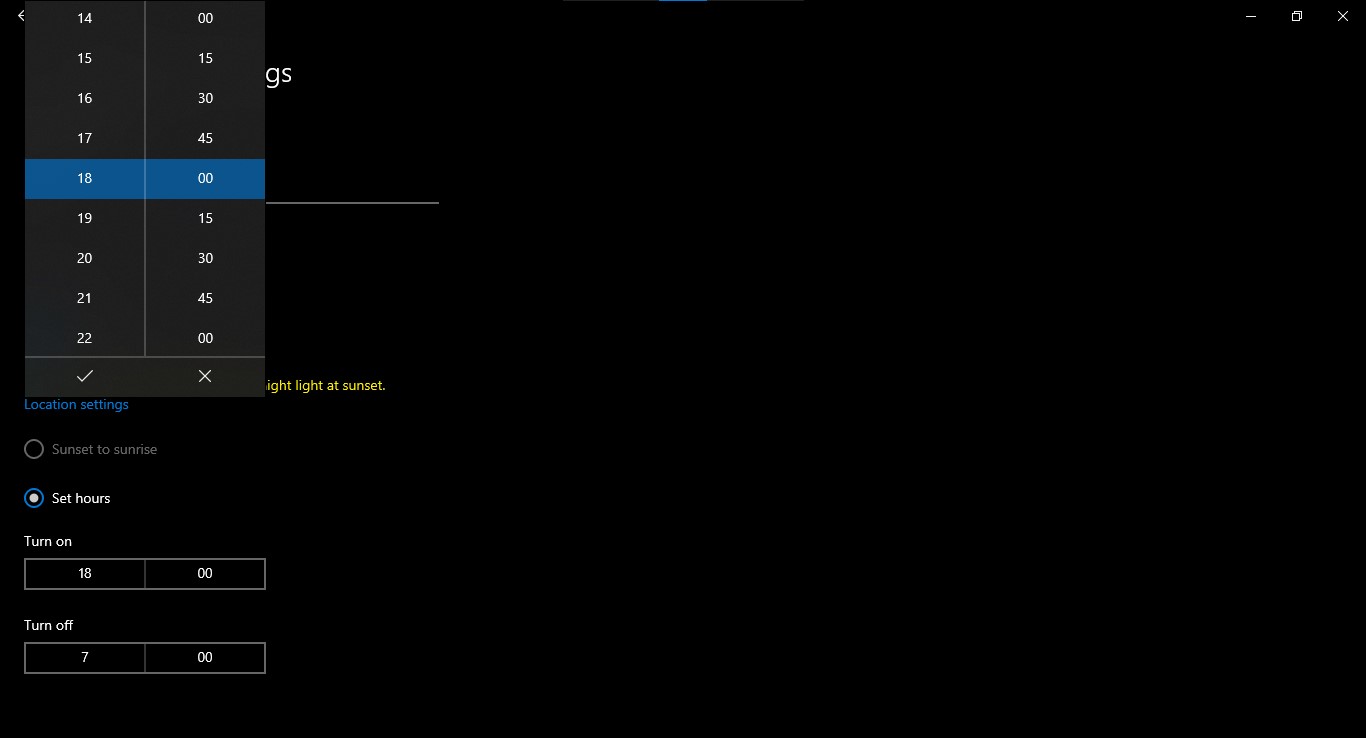
You can check the "Sunset to sunrise" option which will automatically turn on the Night Light during sunset. But to schedule manually click on "set hours".